fsDesk Basic — because sometimes you need simple solutions

fsDesk Basic is the perfect solution for small businesses that want to better manage tickets processing without investing in expensive systems.
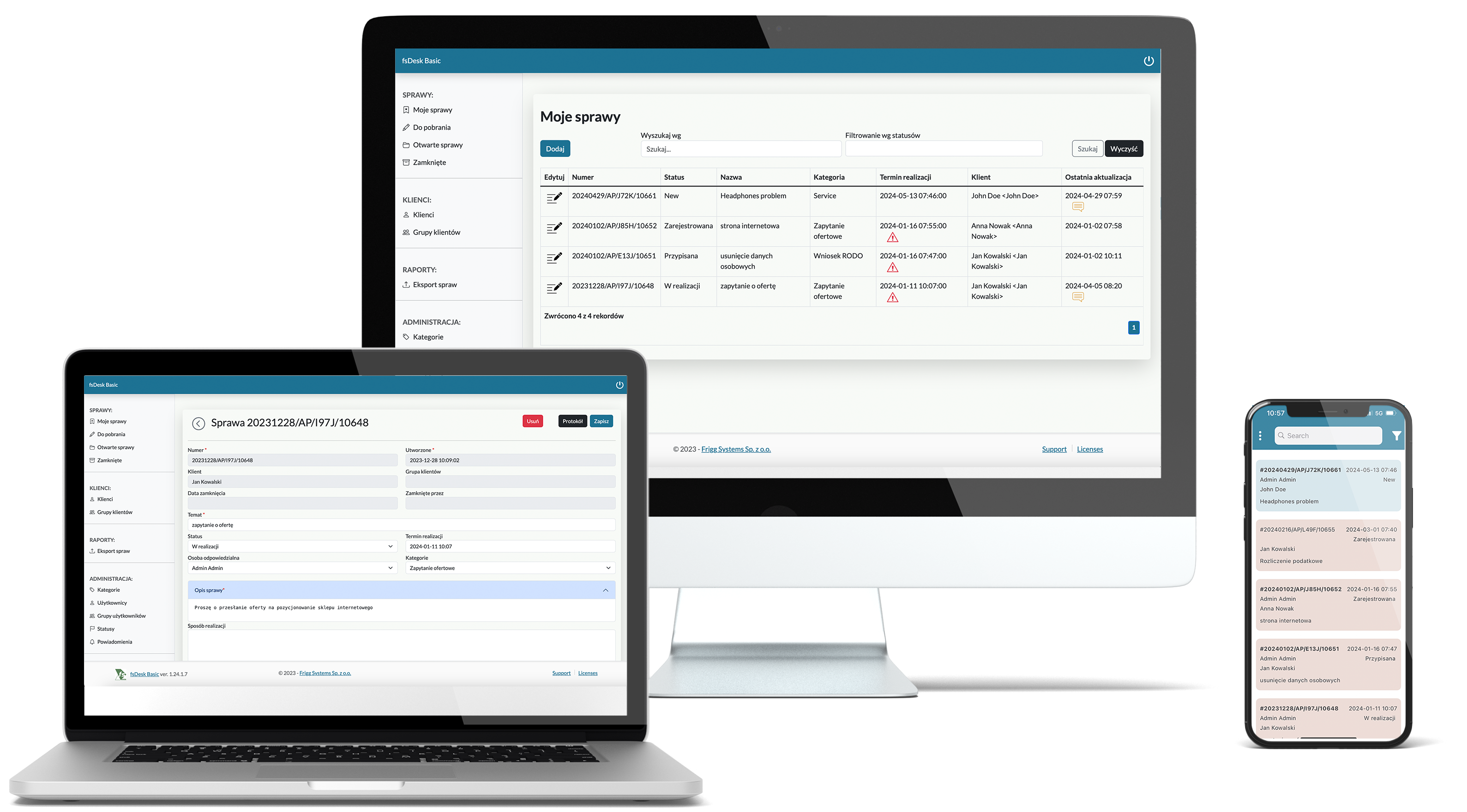
Makieta produktu

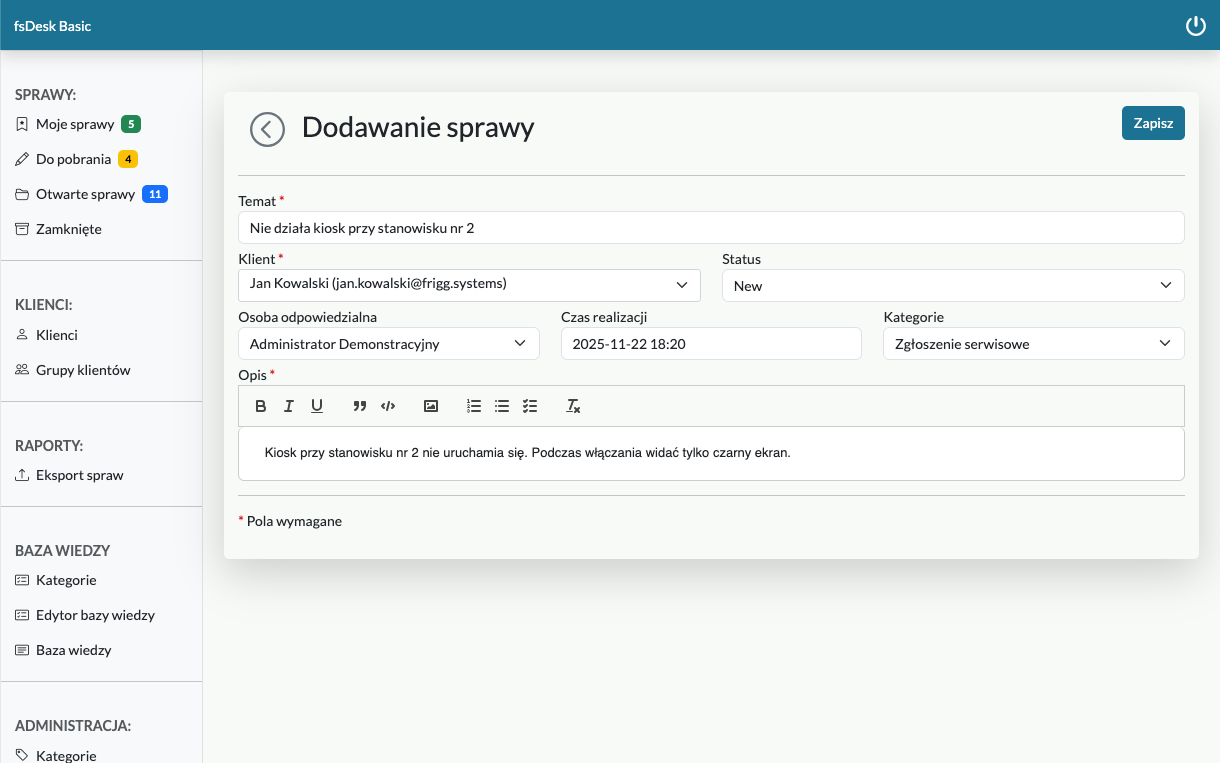
Case registration

Keep all your cases in one place.

Log tasks in the app, via email, or via the contact form. It's easier to manage your work when you have all your tasks in one place.
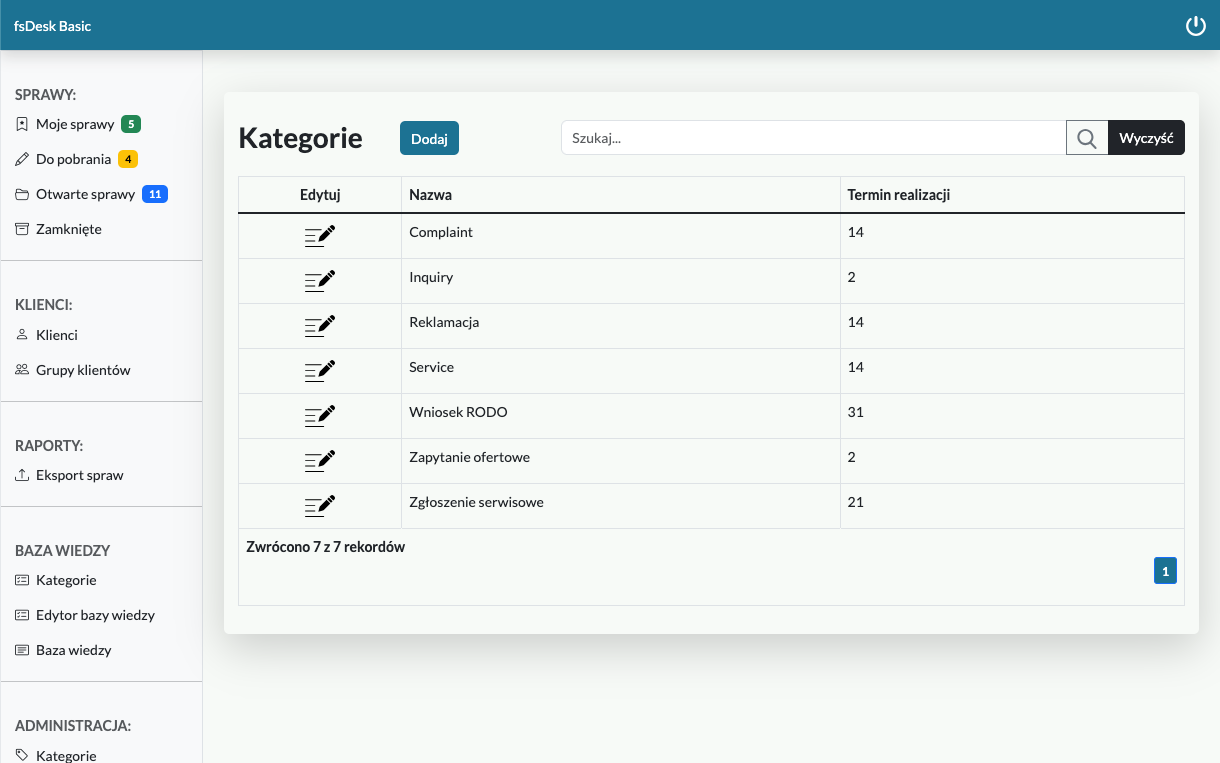
Categories of cases.

You define the categories you need.

You can handle different categories of cases with different deadlines in one place! Commercial matters, complaints, or perhaps technical requests? Set up as many categories as you need.

Email communication.

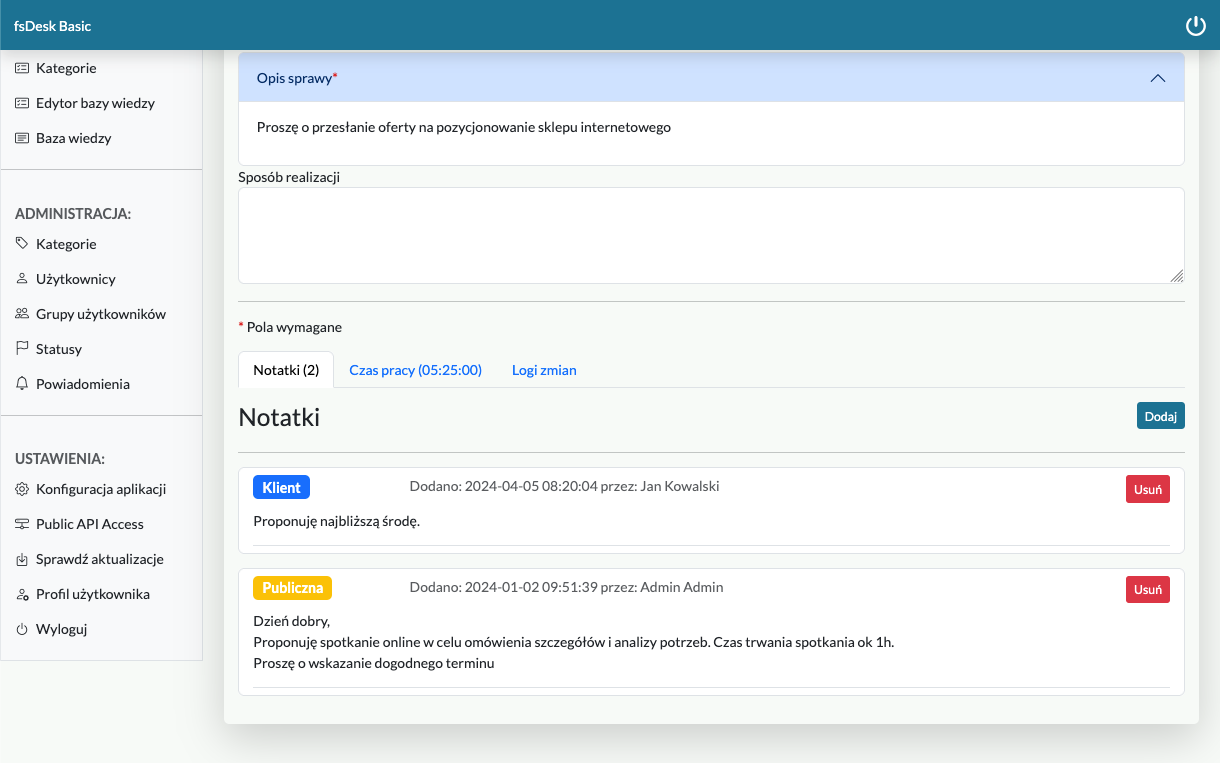
Store your entire correspondence history in one place.

Never miss a single customer message! The app logs customer emails as notes and displays notifications. This saves your time browsing your inbox.
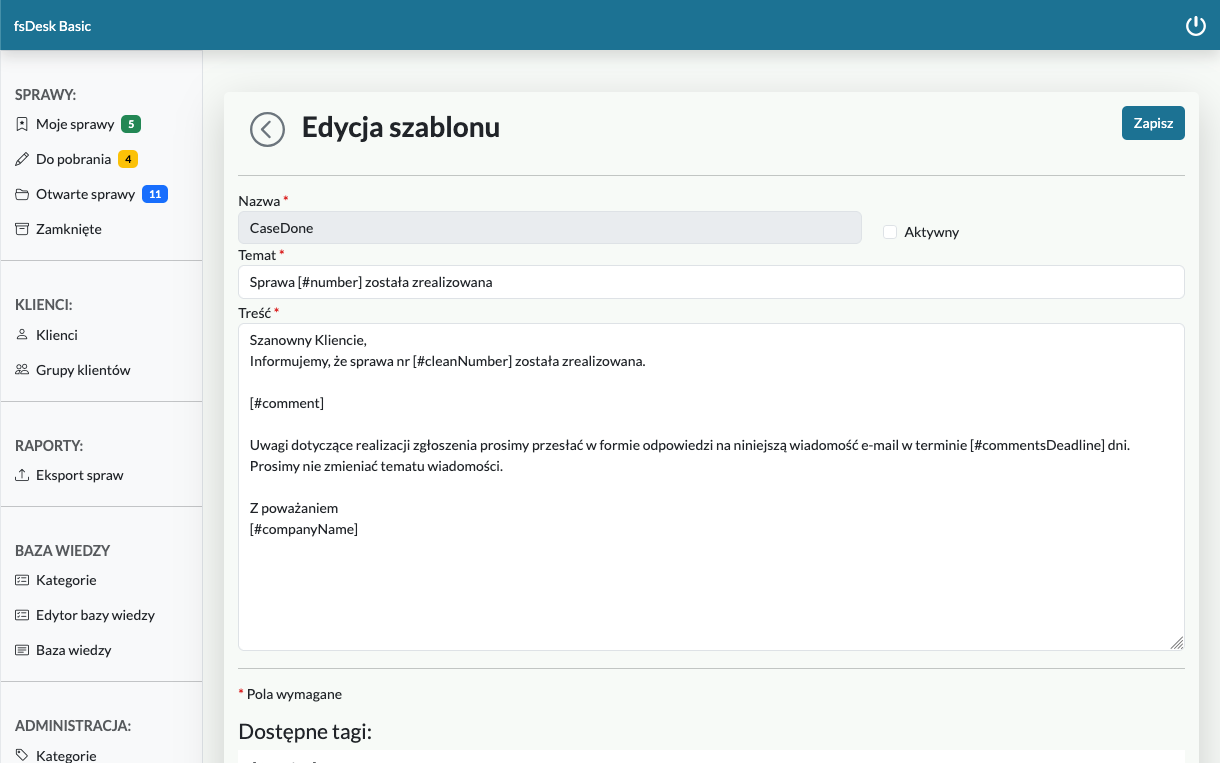
Notifications.

Don't miss the deadline

Set up deadline notifications and never miss important deadlines.

Working time registration.

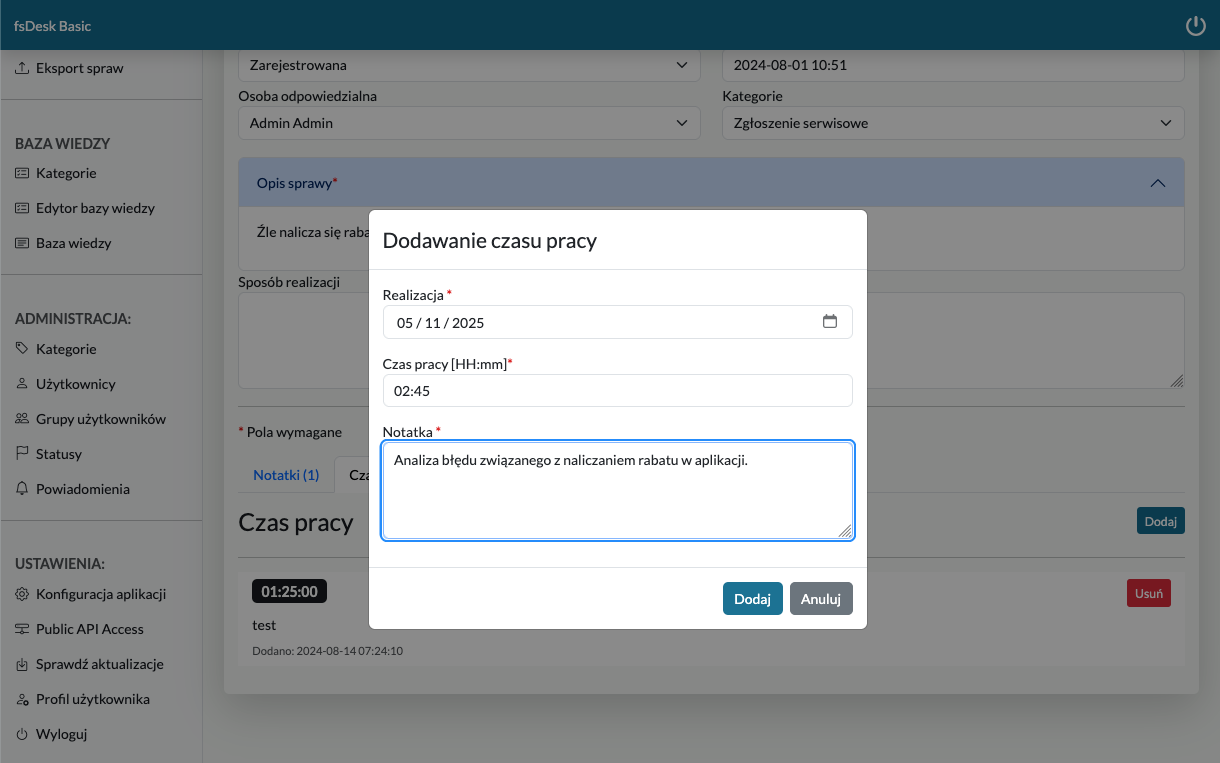
Recording your working time will allow you to manage your work better.

You can record the time spent on each case, allowing you to assess the cost and effort.
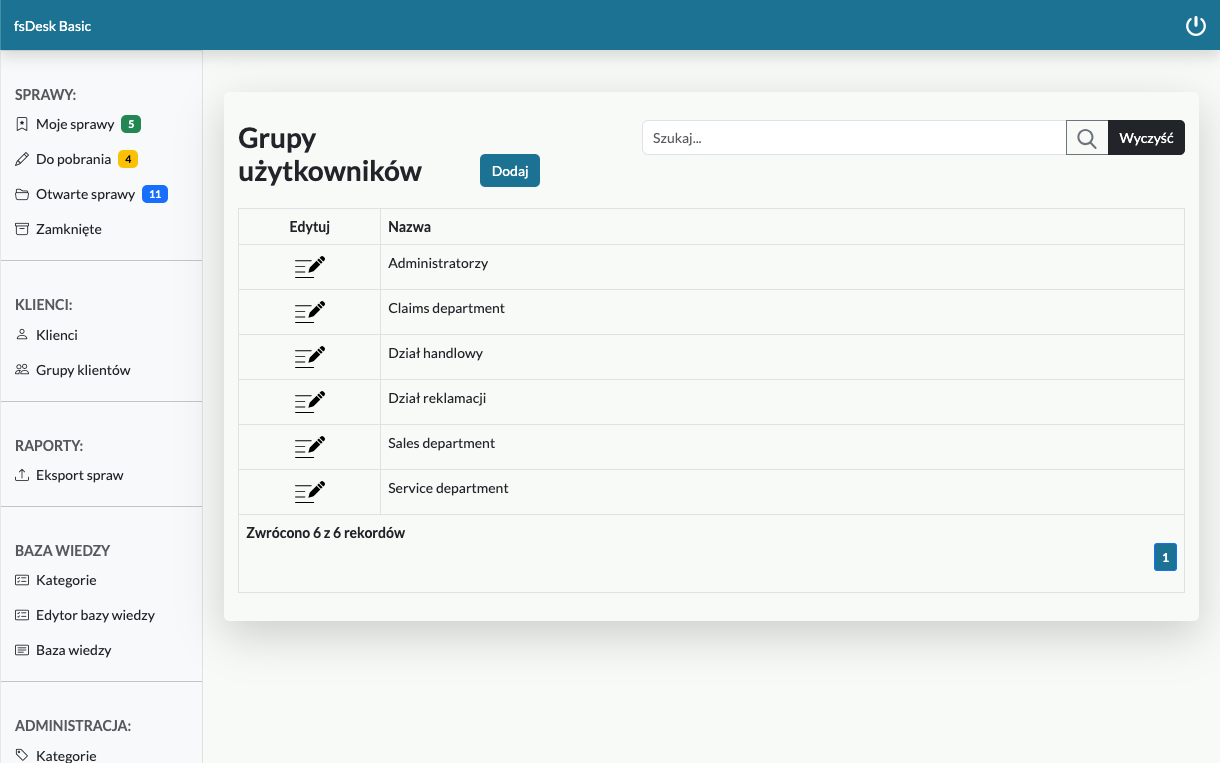
User groups.

Automatically route cases to the appropriate department.

Sales, complaints, service? Group users working together so they have access to all issues within their assigned category. Employee vacations and unread messages will no longer be a problem.

Customer groups.

Improve customer service and communication.

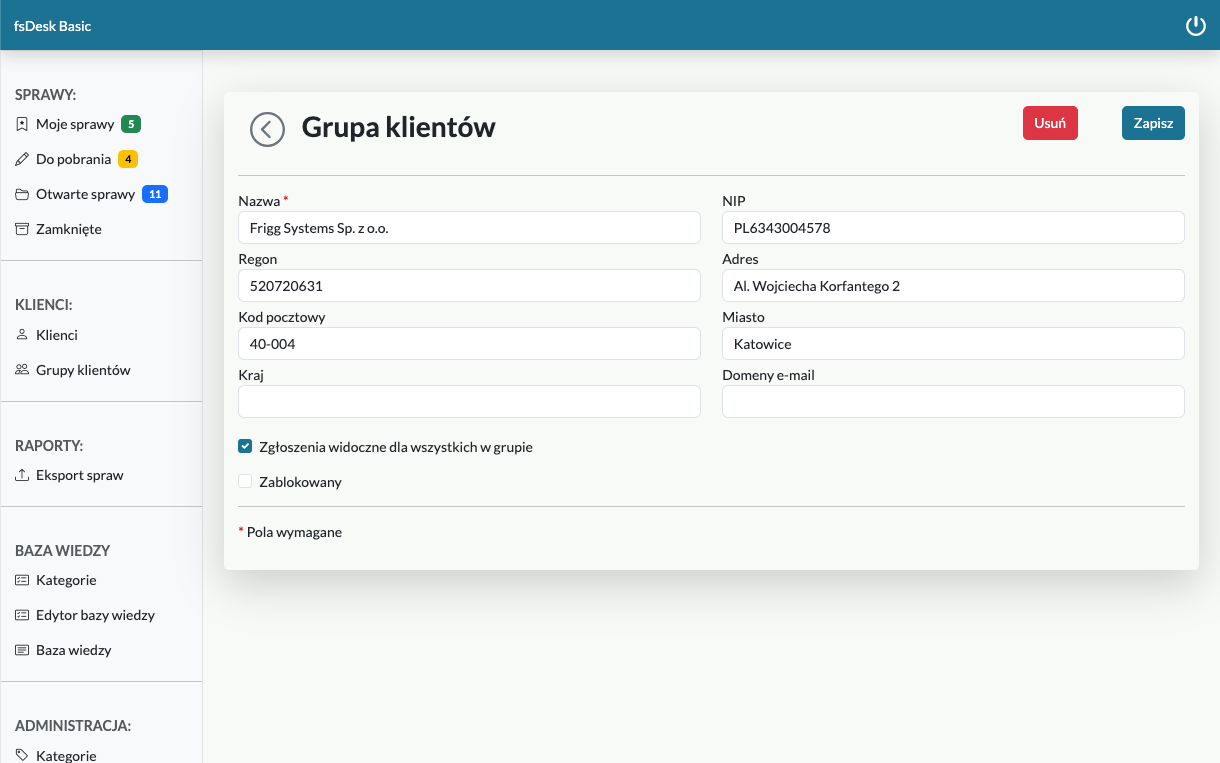
Create a group of clients from one company or department. This way, everyone will have access to information on reported issues.
Price-list

Choose a package tailored to your business.

The most frequently chosen

Basic

200 PLN net/year
  • 5 user accounts
  • no limit on cases
  • unlimited customers
Select

Silver

399 zł net/year
  • 10 user accounts
  • no limit on cases
  • unlimited customers
Select

Gold

Ask for a quote
  • above 10 user accounts
  • no limit on cases
  • unlimited customers
Contact us

Frequently asked questions

The application is hosted on the client's server. System requirements: MS Windows, Linux, or MacOS with .NET installed. Database: MySQL, MariaDB, PostgreSQL.

It's necessary to configure the outgoing mail server in the "Application Configuration" window. Then, in the "Notifications" - Edit Template window, you can enable notifications by selecting the "Active" checkbox. Each template can be modified. Both the subject and message body can be changed. Below each template there is a list of tags that can be used when modifying the template. Tags must be used unchanged.

A public note is visible to everyone – both internal users and clients. If notifications are enabled for adding a note, the client will receive such a notification. A public note cannot be deleted. Every note added by a client is a public note. A note added by a user is public only if the "Public note" checkbox is selected when entering it. An internal note is not visible to the client. It can be deleted by the author of the post.

Yes, you can set your logo in the application. It will be visible in the login window and on printouts. You can change the logo in the "Application Configuration" window ("Add Logo" button). To display the imported file, check the "Show company logo" checkbox.

Yes, it is. To do this, you need to configure the incoming mail server in the "Application Configuration" window. The "Incoming mail handling" checkbox must be enabled.

Cases in the case list are sorted from the most recent. By default, only open cases are displayed. To display all cases (open and closed), you must enable the "Show all cases" checkbox. You can filter cases by status – one or more. You can also search for cases by name, number, and client.

It's used to group clients from a company/department to streamline service. If the "Requests visible to everyone in the group" tag is enabled, the grouped clients will be able to see all issues reported within their group, receive related notifications, add notes, and so on.

It is used to group users under a single email address to streamline case management. Grouped users will only see cases assigned to their group and will receive notifications for them.

You can change your password after logging into the application in the "User Profile" window. Your password can also be changed by your system administrator in the user edit window.

Yes, it allows to set a separate deadline for each category, expressed in days. Additionally, you can set a default deadline in the application configuration window.

Let's stay in touch

Follow us on social media and see what we're working on.