fsDesk Pro — a helpdesk that you can tailor to your company's needs

fsDesk Pro is a flexible ticketing application that you can adapt to your company's workflow. You configure forms, statuses, SLAs, and permissions as needed—without compromise or workarounds.
This provides a system tailored to your clients and processes, allowing your team to work faster, more clearly, and always according to the agreement.
Makieta produktu

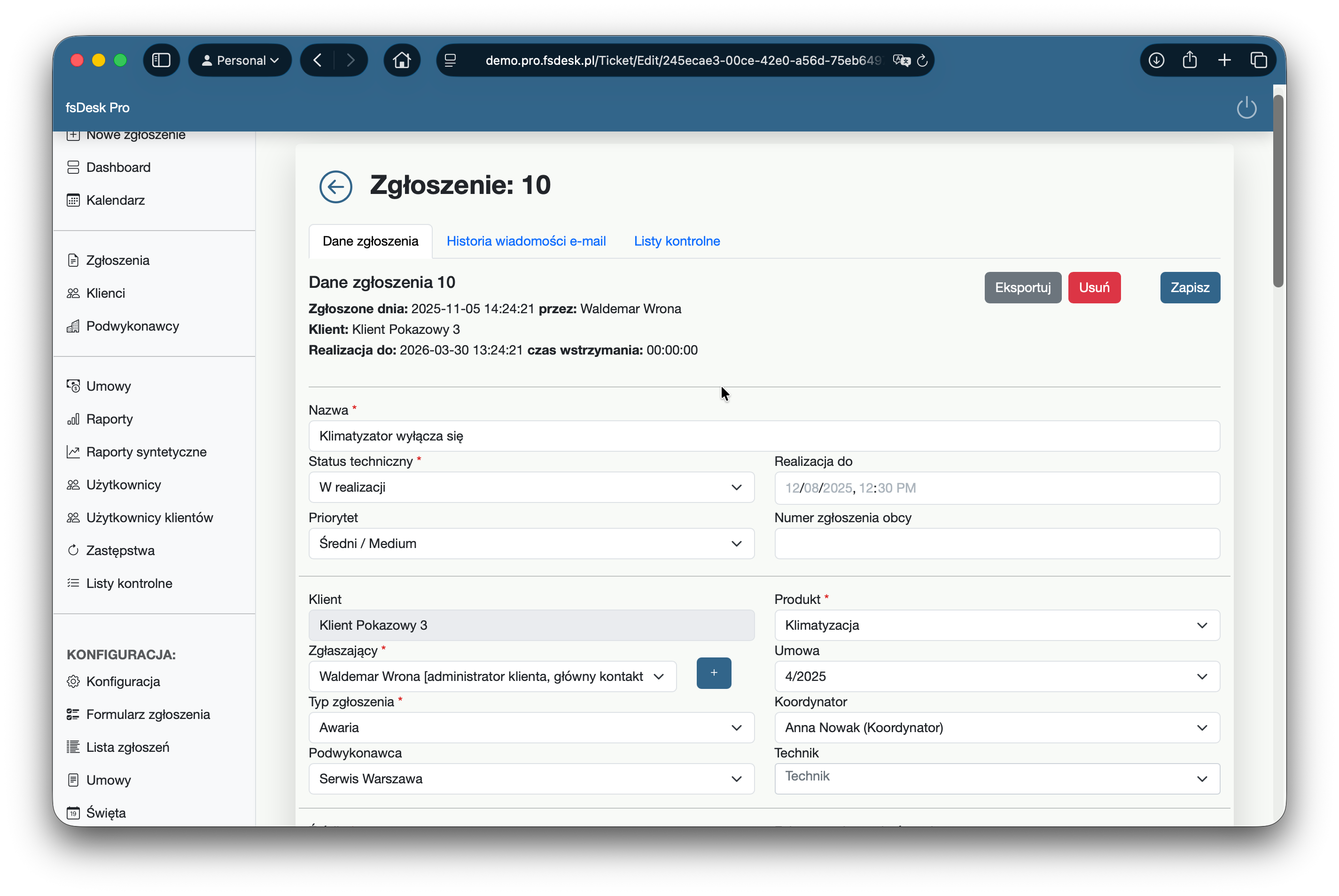
Service requests

The application offers complete configuration flexibility. You can add your own custom fields to ticket forms, allowing you to collect precisely the information you need for your industry. You can tailor ticket fields to your customer agreements, defining the scope of required data, the relationships between fields, and setting SLA times. You can also create checklists for different ticket types to ensure technicians always complete tasks according to established standards.

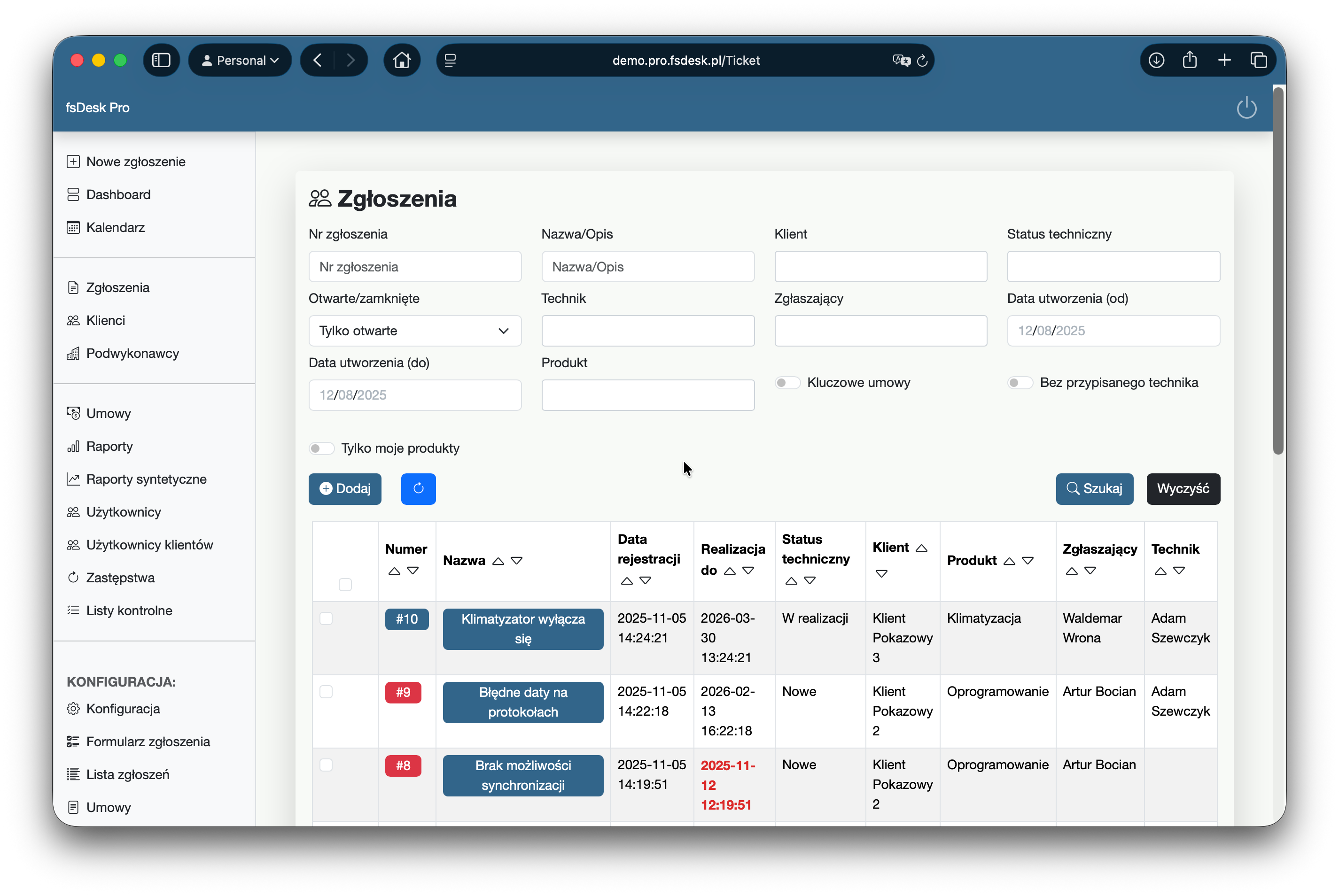
Ticket list

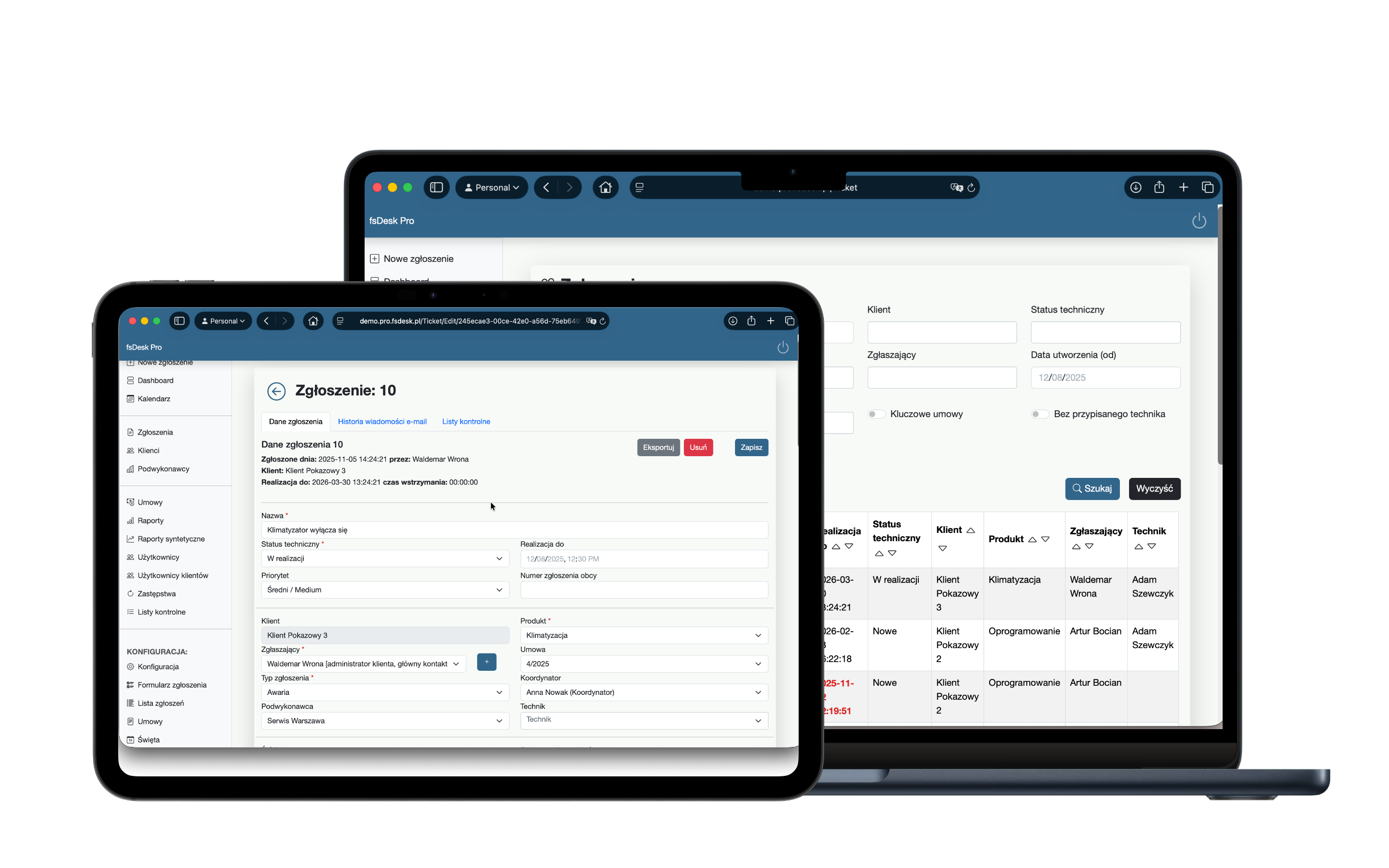
The ticket list provides a complete overview of the service's current work in one place. The list immediately shows tickets related to key contracts, as well as overdue tickets that require a quick response. Clear labeling helps you set priorities and monitor SLAs without having to dig through the details of each ticket. Additionally, the list supports bulk actions: you can select several tickets at once and perform a group status change, significantly speeding up work on larger volumes.

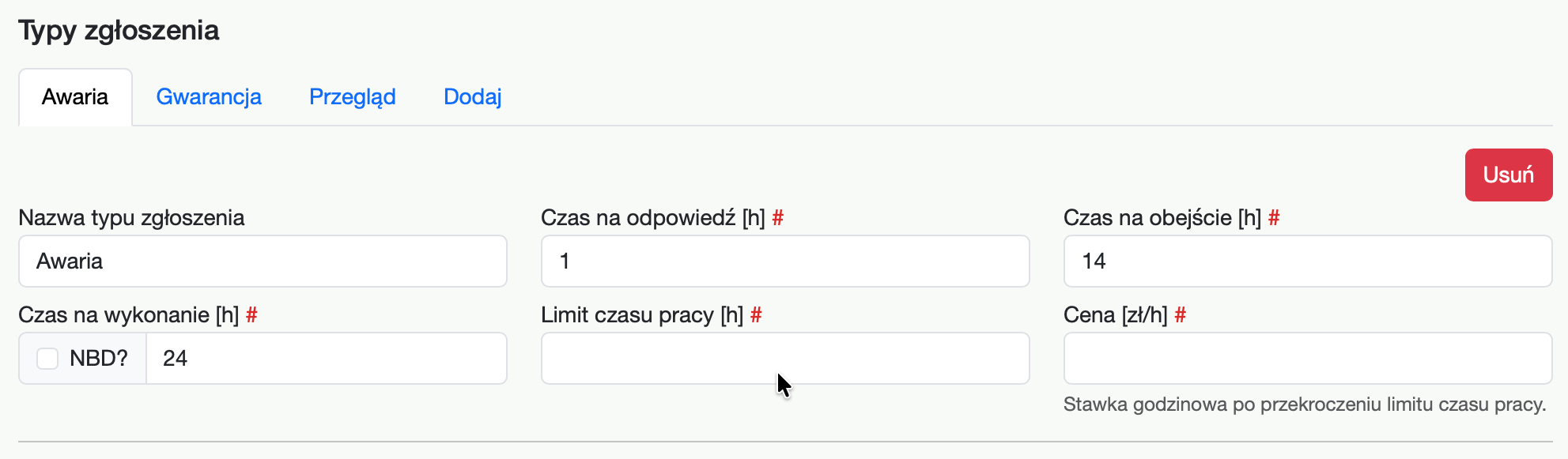
SLA times

In the Contracts module, you can precisely define service rules for each client. For a single contract, you can configure different request types (e.g., failure, inspection, consultation), and for each of them, you can specify separate response times and SLA implementation times. This allows the system to automatically maintain deadlines in accordance with contractual agreements.

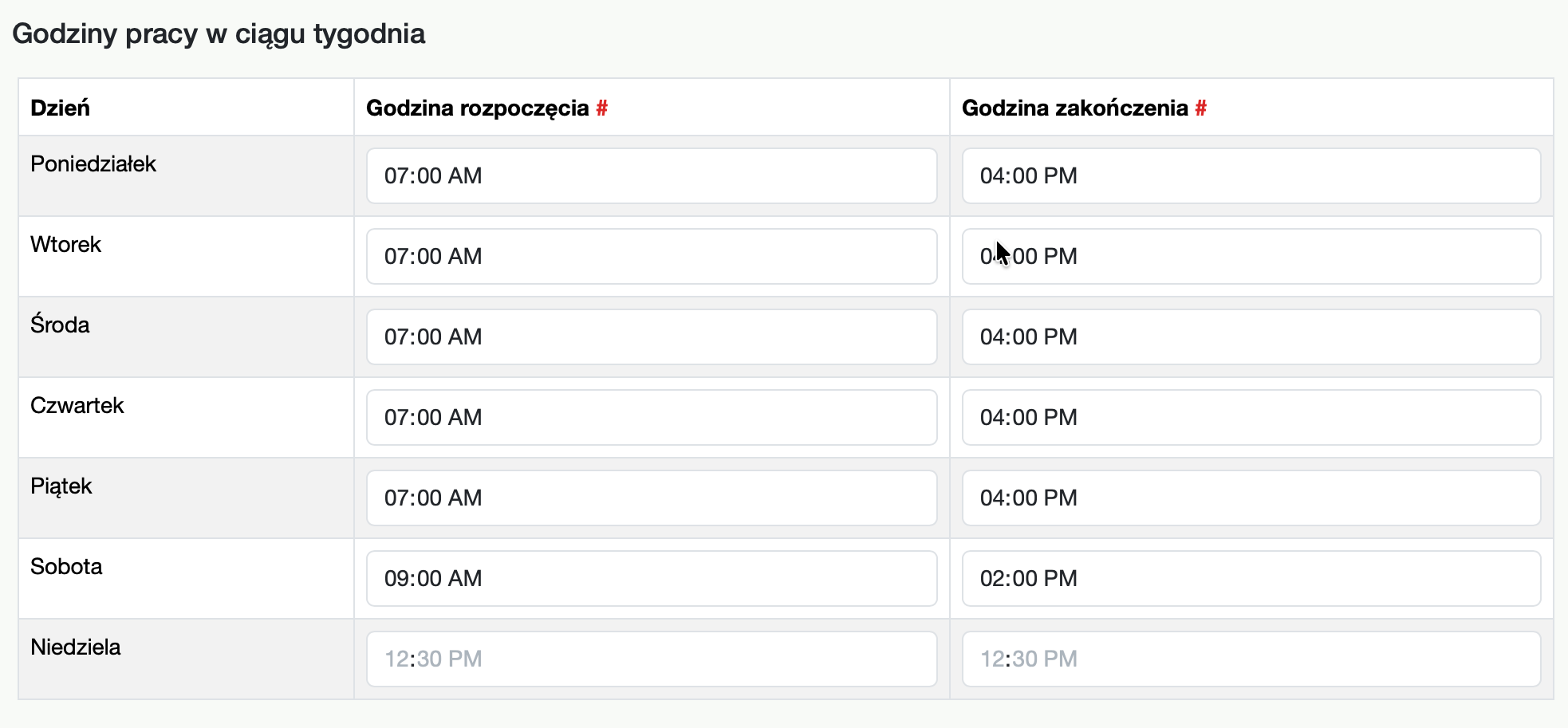
You define the business hours during which requests are accepted and counted—for example, only on weekdays from 8:00 AM to 4:00 PM or 24/7. This ensures that SLA deadlines are calculated fairly and exactly as specified in the contract, and your team has clear priorities from the very beginning.

Case history

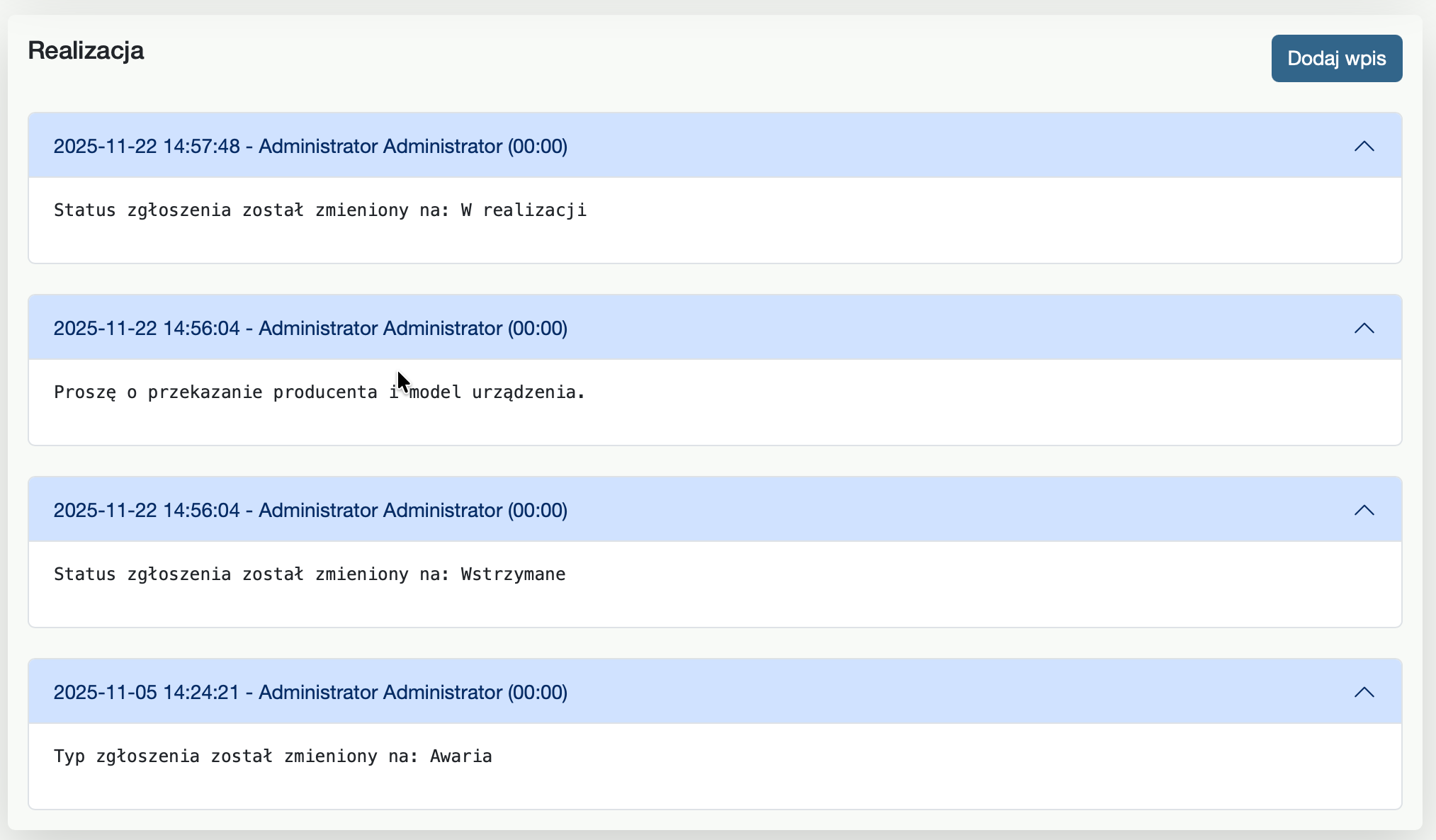
The ticket history view is the hub of all case work – you have a complete, organized history of its progress in one place. The system automatically saves all key information: added notes, completed actions, attachments, and team comments. The application also records completion times – such as work time and hold periods – so you can monitor SLAs and analyze team performance on an ongoing basis.

Working time registration.

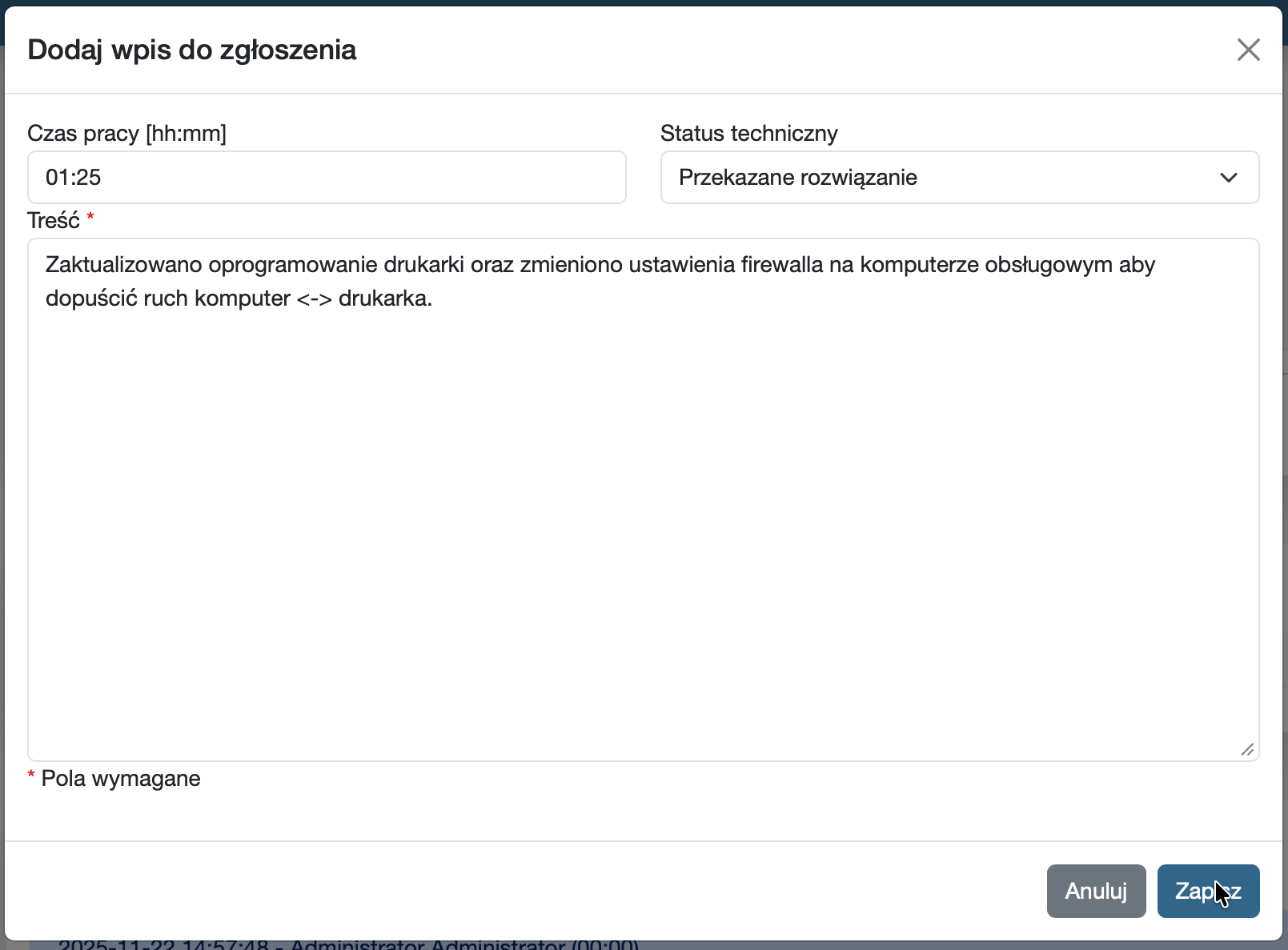
The ticket time tracking feature allows technicians to quickly and conveniently record completed tasks. For each ticket, you can record the time worked, describe the scope of work performed and indicate when the work was carried out or paused. This creates a reliable log of work, eliminating manual notes and guesswork.

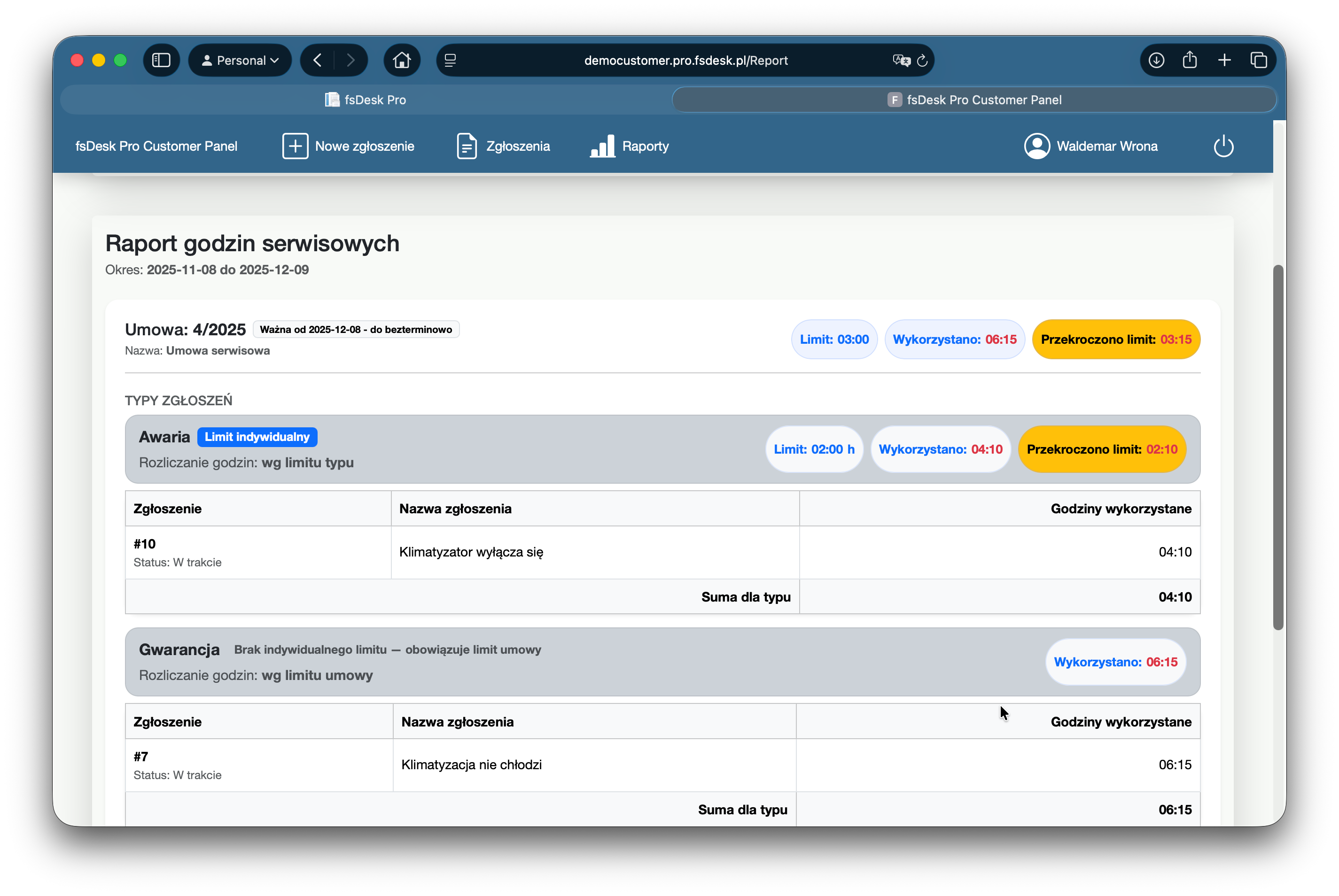
Recorded times are used both to monitor workload and team efficiency, as well as for billing the client—in accordance with the contract and SLA. This transparent data is easily used in reports and invoicing and the client has clear insight into exactly what they are paying for.

Subcontractors

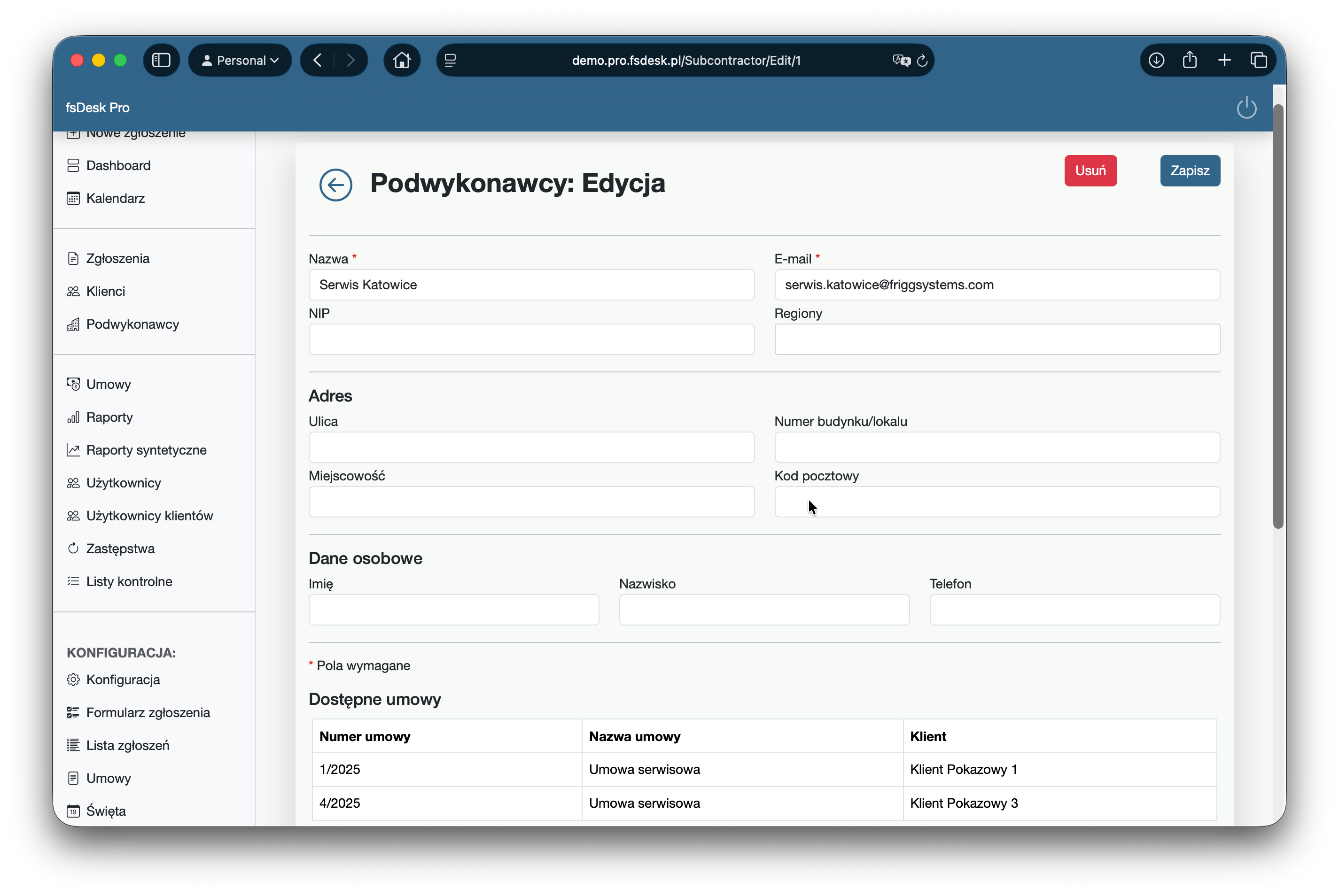
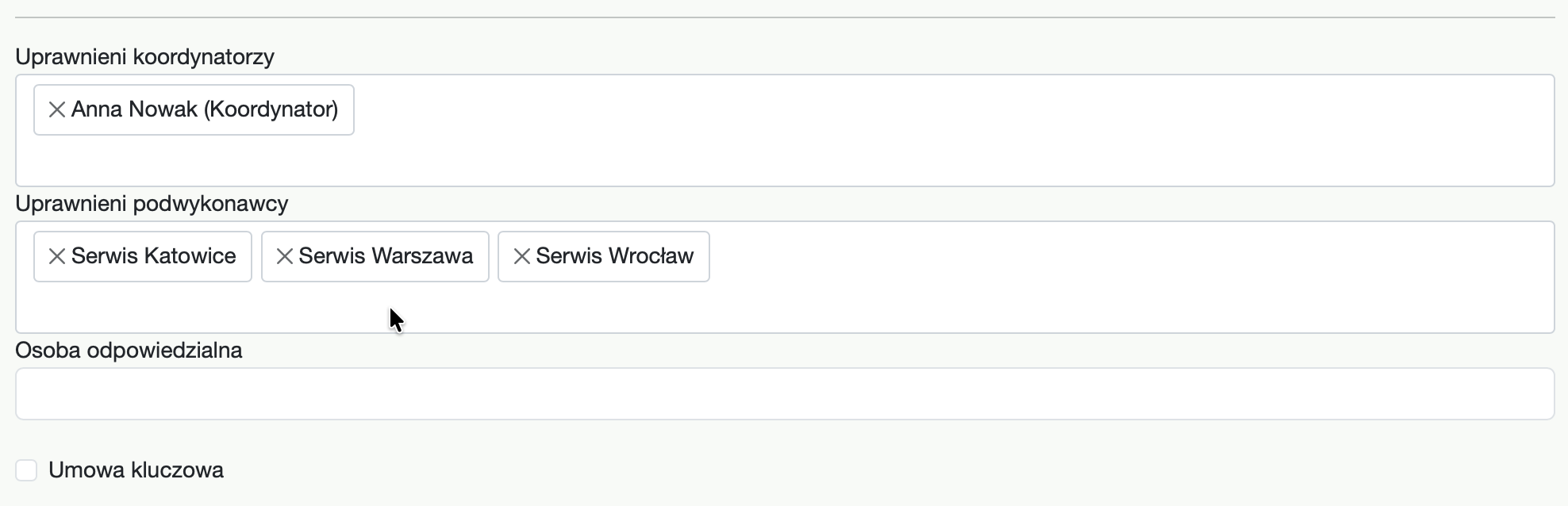
In the app, you can easily configure subcontractors if you outsource some service work. Each subcontractor is assigned their own account and set of permissions, ensuring they only have access to the requests they've been assigned to handle. This ensures data security and a clear division of responsibilities.

Additionally, you can specify which contracts a given subcontractor is assigned to. This allows the system to automatically suggest the correct contractor when submitting a request, making the entire collaboration process faster and error-free. You have full control over orders, and the subcontractor sees exactly what they need to efficiently complete the task.

Additional fields

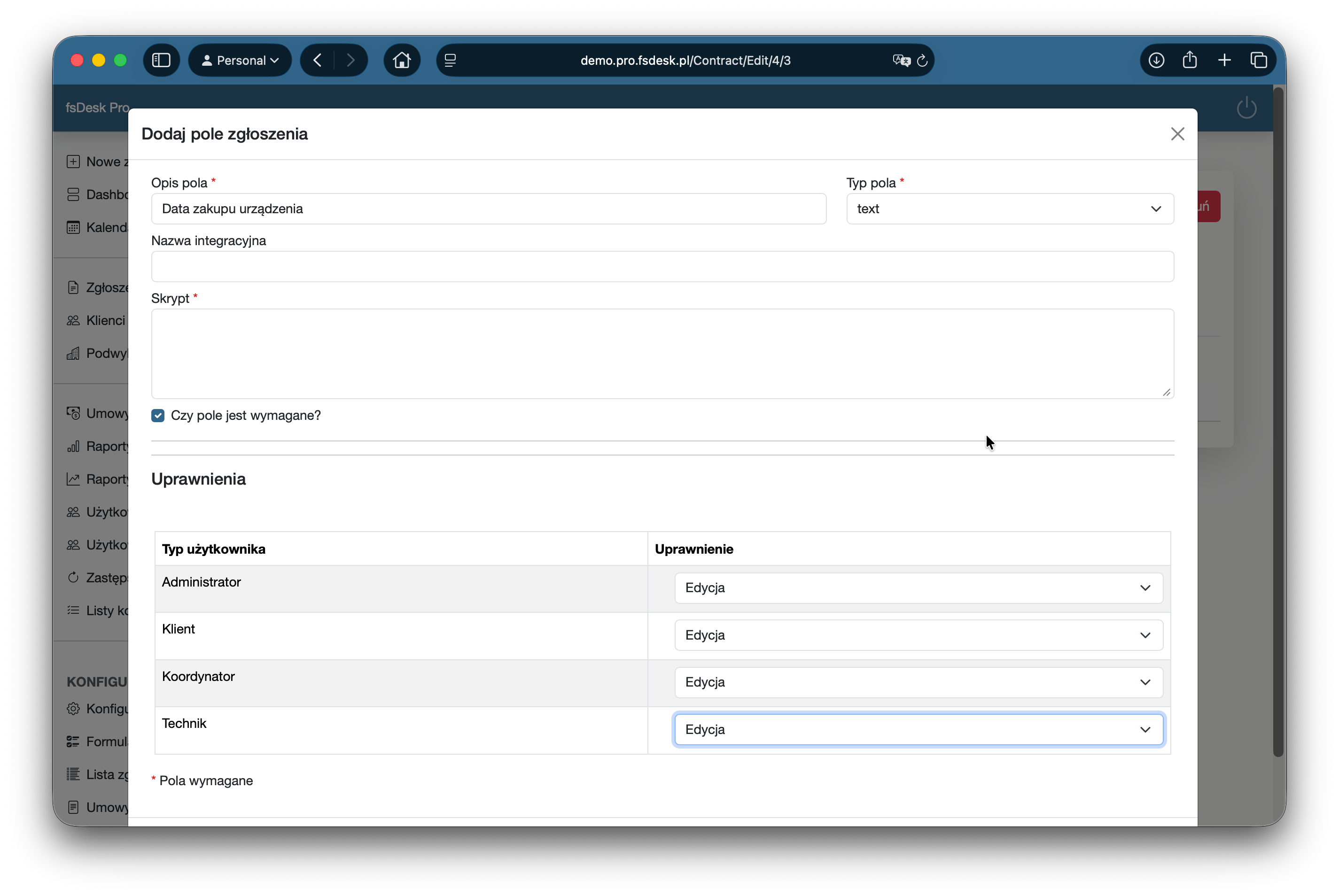
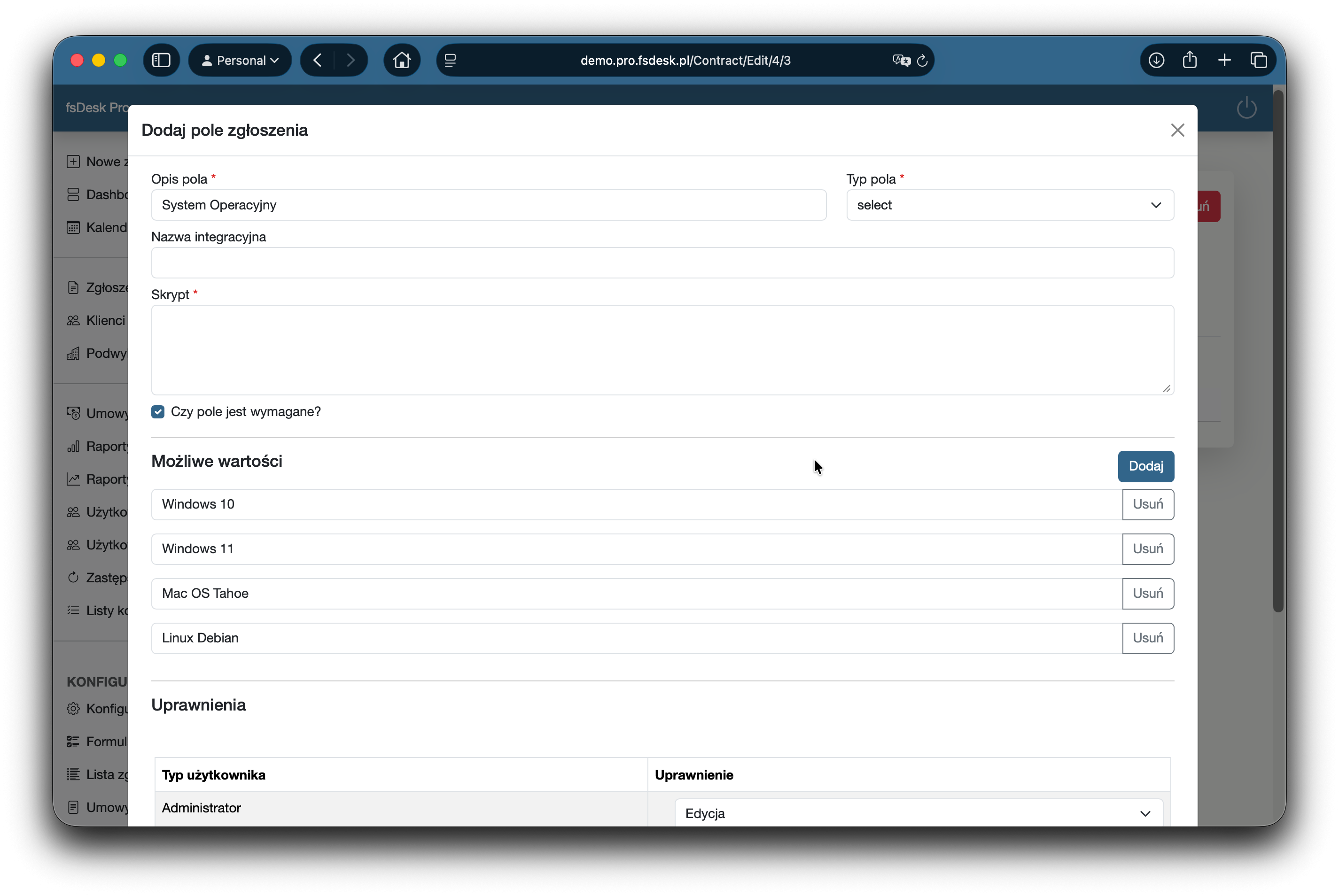
The "add a custom field" feature allows you to tailor the form exactly to your processes. In the configuration, you can define your own field name and select its type so that you collect only the information you need for customer service.

You can also specify available values for fields in drop-down lists, ensuring that the data in tickets is consistent and easy to report. Importantly, you can set editing permissions for individual account types—for example, different permissions for technicians, coordinators or administrators. This ensures everyone sees and completes only what they should and tickets remain complete and organized. Additionally, you can define dependencies between fields, allowing you to freely reflect the nature of tickets or contractual arrangements with the client.

User profile

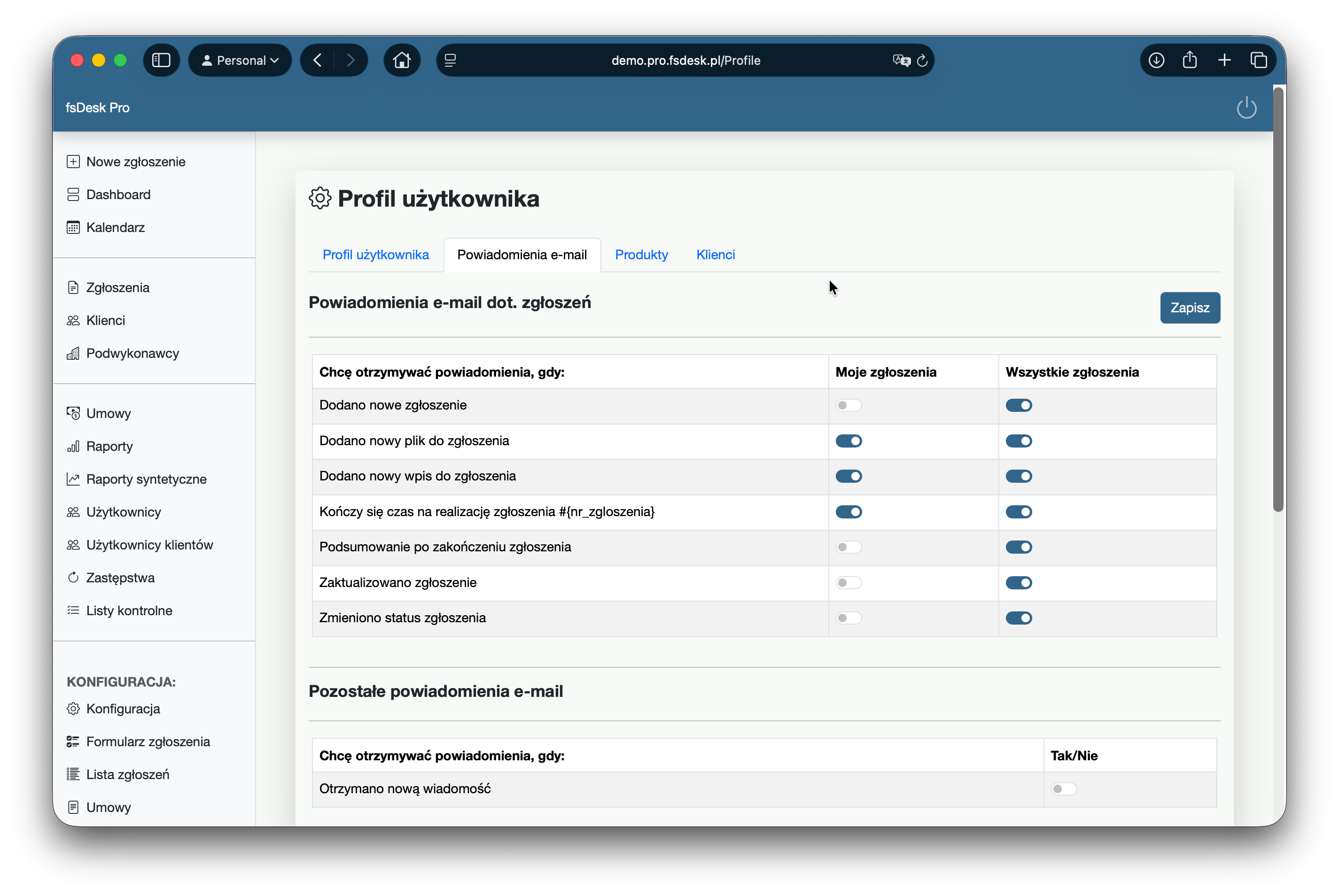
In user settings, you can customize the application to your workflow. In your profile, you can set the scope of email notifications regarding notifications—you decide which events you want to be notified about. You can also precisely define which products and customers you want to receive notifications for. This way, you only receive information that is relevant to you.

For better security, you can also enable two-factor authentication (2FA) in your profile. This simple setting significantly increases the security of your account and the data you access in the system.

Status configuration

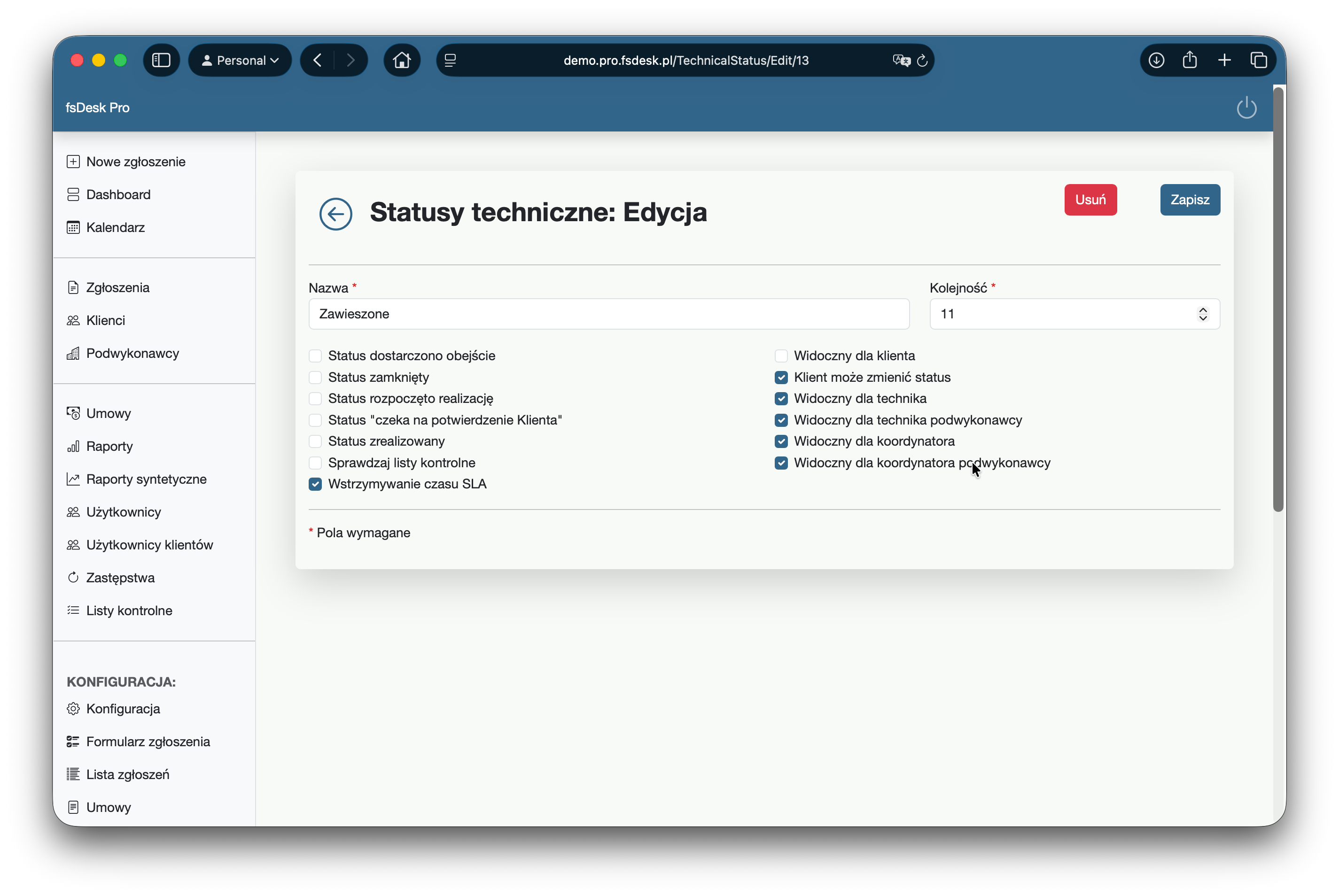
Configuring ticket statuses allows you to tailor the process to each client. Each contract can have its own technical status, ensuring that the ticket handling process reflects established cooperation principles.

When defining statuses, you'll determine their visibility (e.g., for the client or subcontractor), whether the client can change them and their significance in the process — for example closing a ticket or pausing/recalculating an SLA. This allows statuses to organize work and control deadlines.

Substitutions

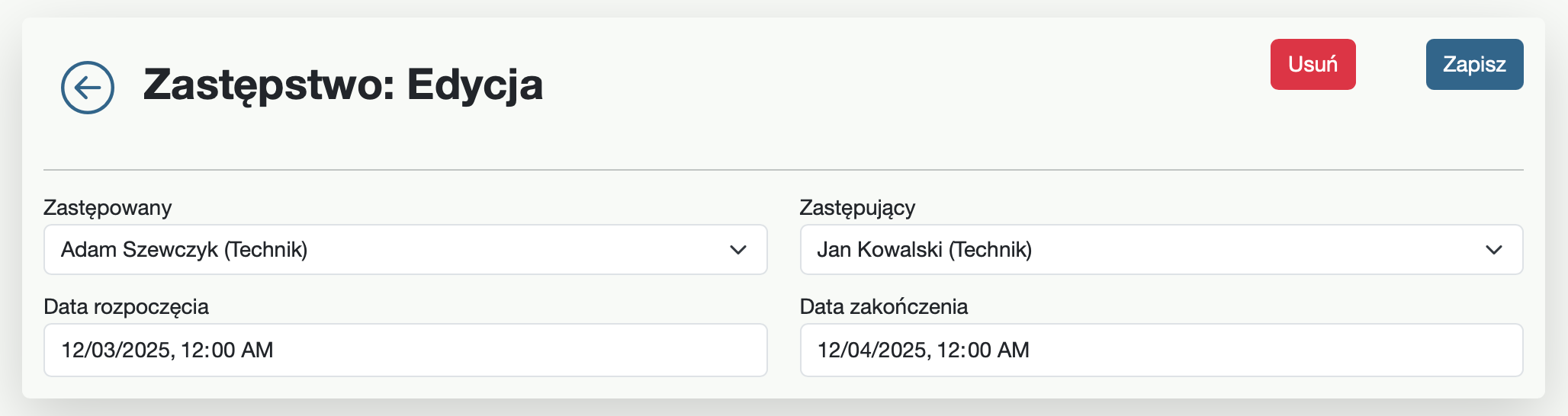
The replacement function allows you to seamlessly manage requests during an employee's absence. You can designate a replacement for the duration of a vacation or other break and the system will automatically grant access to replacing employee's. This allows the replacement to immediately take over and continue processing without delay. The replacement will also receive email notifications originally intended for the replaced employee.

The replacement is established for a specific, fixed period of time, after which privileges are returned to the original user. This is a simple solution that ensures business continuity and customer service security.

Data security

Data on your server

With fsDesk Pro, you decide where your data is located. The system runs on your server infrastructure, so information about requests, clients, and team work is not stored in an external cloud. You have full control over security policies, backups, administrative access and compliance with internal procedures and customer requirements. This is an ideal solution for companies that want to have their data always "on-site" and under their own supervision.

Two-step login

You can enable two-factor authentication, which significantly increases system security. Logging in requires not only a password, but also a one-time code sent to the user's email address. This protects the account even if someone knows your password – without the code, they won't be able to log in to the application. This is a simple yet highly effective protection against account takeovers.

Polish company

fsDesk Pro is developed by a Polish company, which means not only local support and quick contact, but also understanding the realities of Polish businesses. The solution is designed with compliance with European data protection standards, including GDPR, in mind. You choose a system developed in-house, with clear development and product responsibility principles.

Permission levels

The system offers detailed permission levels that allow you to control who sees specific data and what actions they can perform. You can use pre-defined roles, such as administrator, coordinator, technician, and client, and customize them to fit your structure. This ensures that each user has access only to the functions needed for their work, while sensitive information remains protected from unauthorized viewing or editing.

Separate customer panel

Customers use a dedicated panel that provides only the necessary portion of the system. They see only their own requests, communications, statuses and attachments, without access to other customers' data or internal service information. This separation ensures security, organizes collaboration and gives customers a convenient, transparent view of service delivery—without the risk of disclosing operational details of your company.

Login notifications

fsDesk Pro can send automatic email notifications about both successful and unsuccessful logins. This allows users and administrators to immediately see if someone has accessed an account or attempted to log in without success. This provides a quick warning and an additional layer of control—especially important in environments where complete transparency of data access is essential.

Price-list

Choose a package tailored to your business.

Package 5

190 PLN net/month (annual commitment)
2090 PLN net/year (when paying in advance for a year)
  • 5 user accounts
  • 1 free additional admin account
  • no limit on cases
  • no customers limit
When you pay annually you get

1 month FREE

Select

Package 10

310 PLN net/month (annual commitment)
3410 PLN net/year (when paying in advance for a year)
  • 10 user accounts
  • 1 free additional admin account
  • no limit on cases
  • no customers limit
When you pay annually you get

1 month FREE

Select

Enterprise Package

Ask for a quote
  • more than 10 user accounts
  • no limit on cases
  • no customers limit
Contact us

Let's stay in touch

Follow us on social media and see what we're working on.